Is Your House Near a Fault Line?
Created by PHIVOLCS, the FaultFinder app will help you prepare for the possibility of an earthquake

One of the most pressing problems the world is facing right now is environmental damage, with the possibilities of natural disasters like typhoons, earthquakes, and even tsunamis looming closer every day. But while we may never be sure about what can happen in the near (and distant) future, it is always best to be prepared.
Aside from preparing survival kits, doing ample research also helps. Thankfully, there are plenty of resources we can use to get the information we need, including mobile applications, one of which is the FaultFinder app. Introduced by the Philippine Institute of Volcanology and Seismology (PHIVOLCS) in 2016, the application allows users to determine how near they are to a specific fault line by showing detailed maps which specify the exact distance.
This is how you can use the FaultFinder web application:
1. Go to the FaultFinder web app.

2. Immediately you will be taken to a screen with three options.
- Valley Fault System, which will detect your proximity to the nearest fault line based on your current location
- Active Fault Based on Location, which will allow you to select a specific location (all the way to the barangay level)
- Double Click a Place on the Map, which will take you to a street-level view
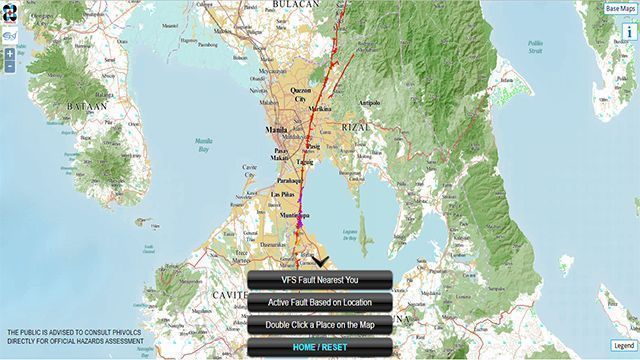
If you live in Metro Manila or in its neighboring provinces (e.g., Cavite, Laguna, Bulacan, Rizal), it would be worth clicking the button saying “Valley Fault System.”
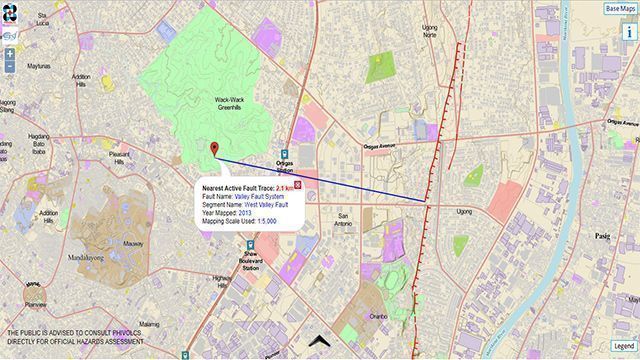
The Valley Fault System is one of the major active fault lines in the country which passes through Metro Manila and its neighboring provinces. Its active segments are the West Valley Fault and the East Valley Fault. Locations traversed by the West Valley Fault may experience earthquakes with magnitudes up to 7.2, while those traversed by the East Valley Fault may experience quakes up to 6.2 in magnitude.
Other features
Other Fault Systems
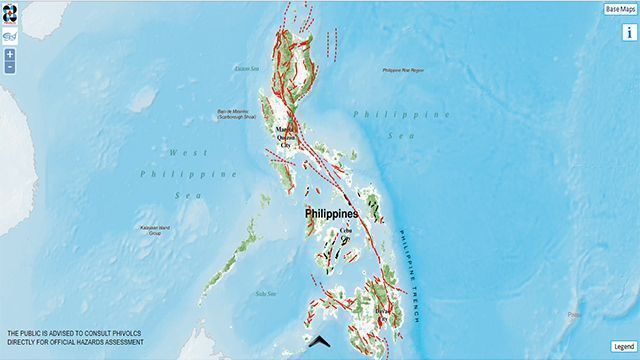
In the home screen, there is a third option called “Other Fault Systems.” Clicking this will allow you to see fault systems in other parts of the country.
Base Maps

The button called “Base Maps” is located on the upper-right corner of the screen. If you click this, you’ll be able to choose from three base maps.
- Philippine Geoportal, which comes from the National Mapping and Resource Information Authority
- Google Maps – Hybrid, which can show you actual buildings and structures
- OpenStreetMap, which is more general
Remember that there are inevitable discrepancies in some maps, so it would be better to switch between different base maps and select a specific location.
The FaultFinder App can also be downloaded via Google Play.
Source: Rappler